Servers in Iran · No VPN needed
Your people. All together.
Voice rooms, messages, music and games with your friends — in one place that stays fast on Iranian internet.
Free · Windows, Android and web · An invite code is required to sign up
The ghoghnoos — in the old telling, every hole in its beak carries a voice
01Why Zand
Built for the internet you actually have.
We made Zand for the nights when the connection crawls, the filters tighten, and you still want to hear your friends.
- Noise suppression
- On
- Servers
- In Iran
- VPN
- Not needed
No VPN
Servers inside Iran
Zand runs on servers in Iran, so rooms, messages and calls work without a VPN. Nothing extra to install, nothing to switch on.
48kbps
Light on mobile data
When your connection weakens, voice moves to a lighter stream so the conversation keeps going. When the line recovers, so does the sound.
192kbps
Clear, close voice
Voice streams at up to 192 kbps, and AI noise suppression takes out keyboards, fans and traffic. Everyone’s volume is yours to set.
60fps
Free HD screen sharing
Share a window or your whole screen at 1080p and 60 fps, with sound. No subscription, no paywall.
پی افکندم از نظم کاخی بلندکه از باد و باران نیابد گزند
I raised a lofty palace of verse, that no wind or rain can harm.
A thousand years on, the palace still stands. We built Zand to last, too.
02Inside Zand
Everything around the call.
The call ends; your circle doesn’t. Post, keep the conversation going, and make a corner of Zand your own.
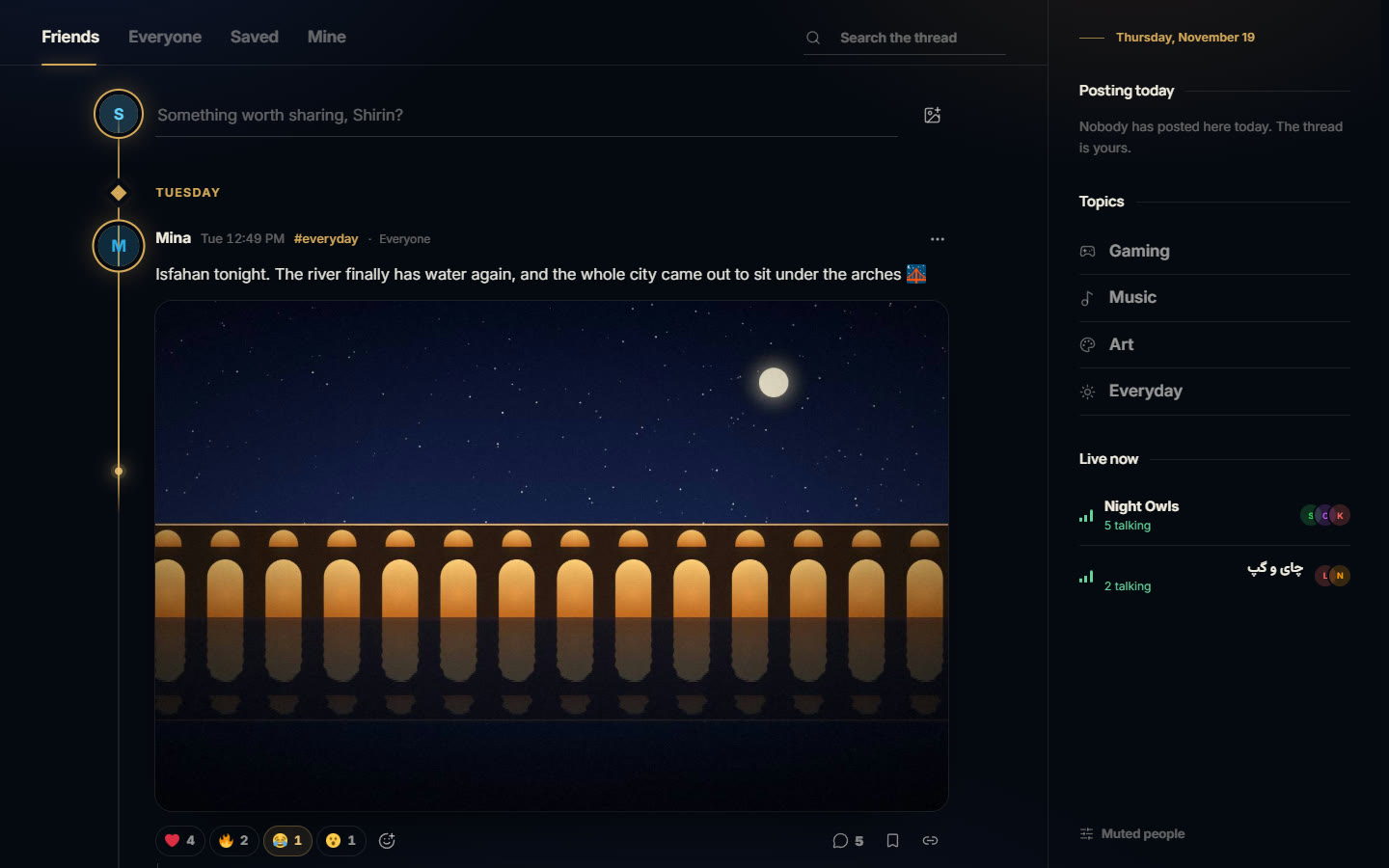
01Feed
Find the next conversation.
Post photos, videos or a few lines. Friends react, reply and save what they love, so there is always something to talk about next time.
- Posts & video
- Reactions & replies
- Saved for later
02Messages
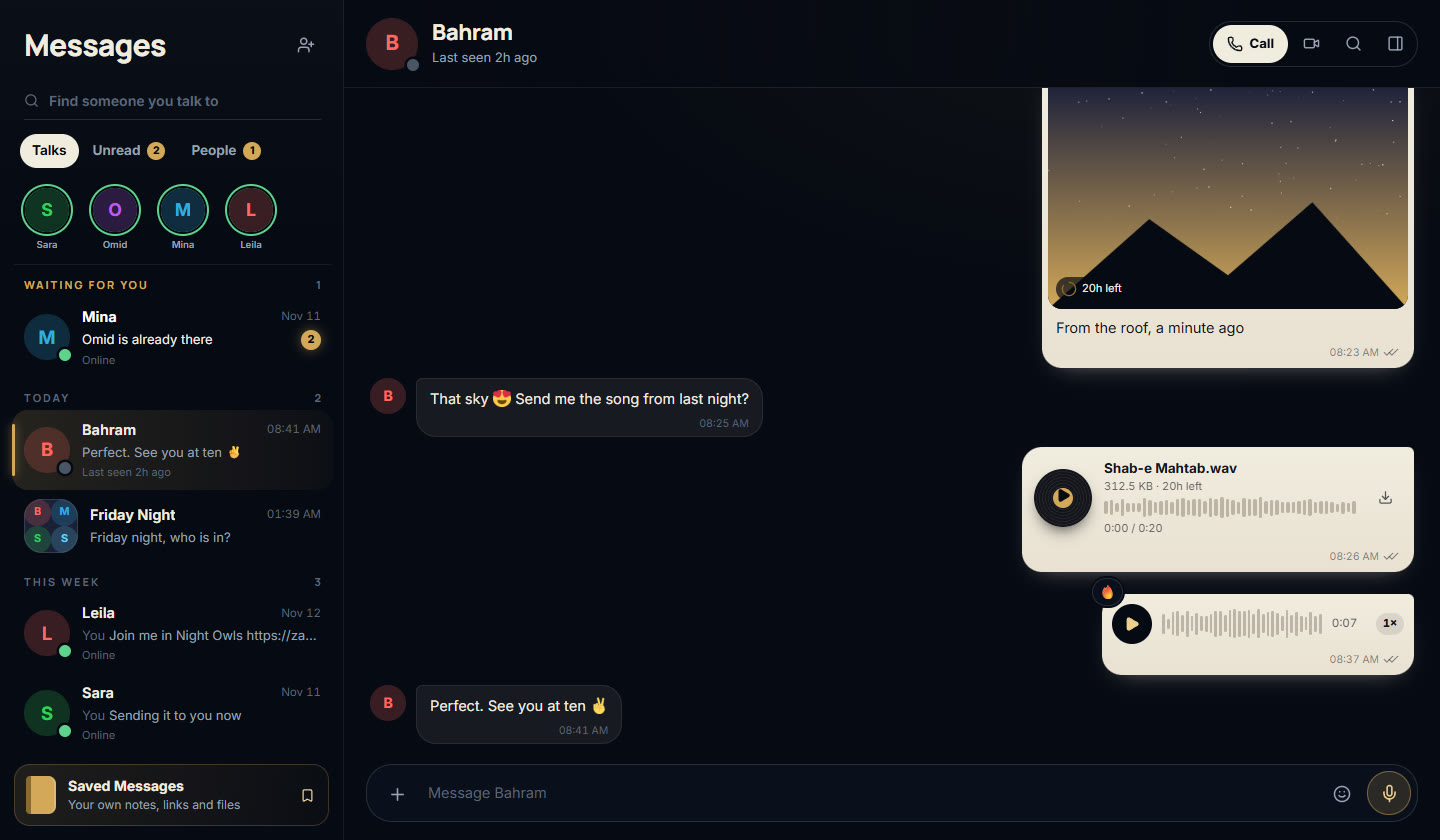
Keep the thread going.
Direct chats, private groups and Saved Messages. Send voice notes you can speed up, photos and files, react right on the bubble, and open a details panel for everything you have shared.
- Voice notes
- Reactions
- Private groups
03Home
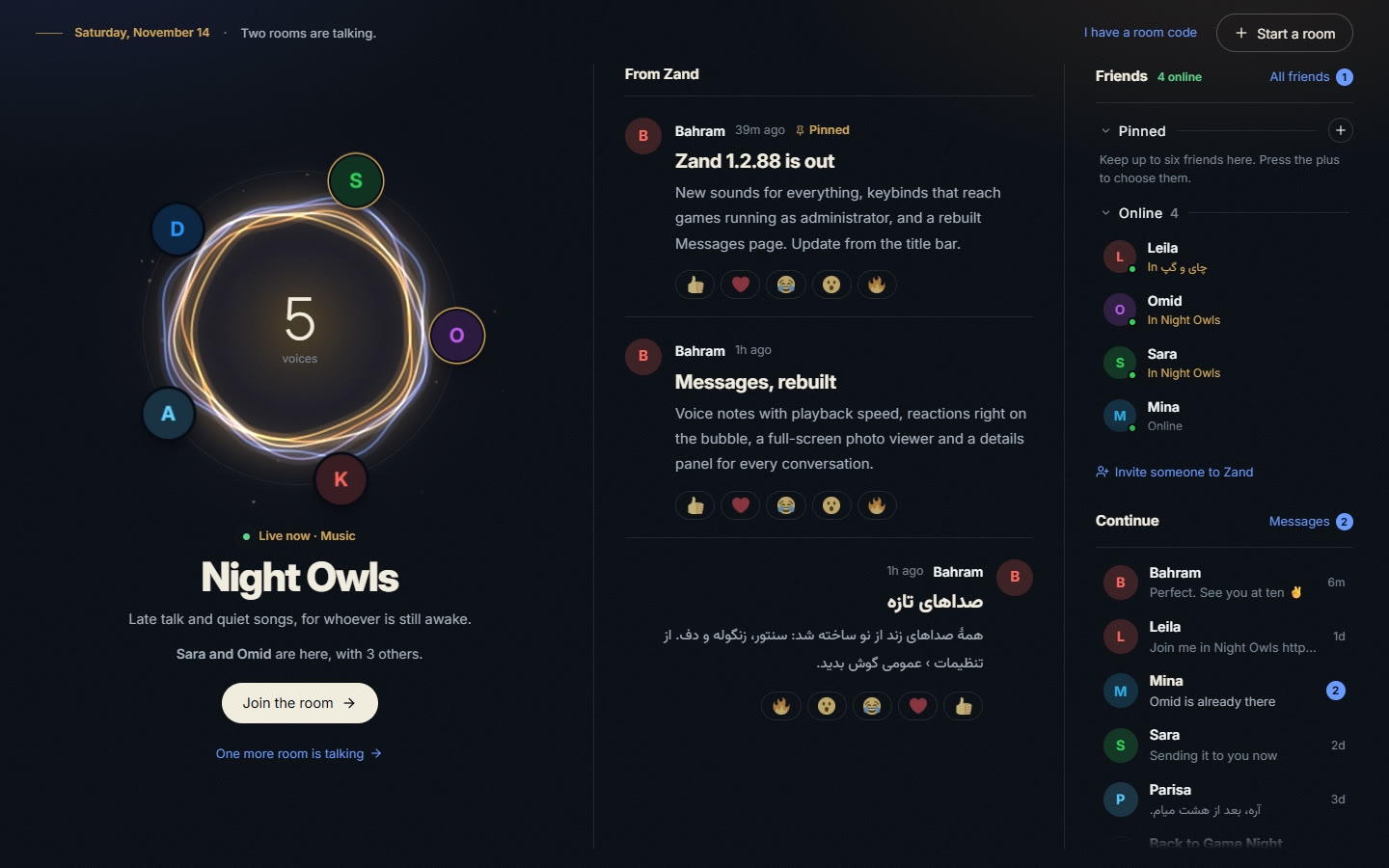
Your evening at a glance.
Open Zand and see which rooms are talking, who is around and what is new, on one screen. One press and you are in the room.
- Live rooms
- Friends online
- News from Zand
03In the room
Do more than talk.
A Zand room is more than a voice call. It’s where you play music, watch and play together — without ever leaving the conversation.
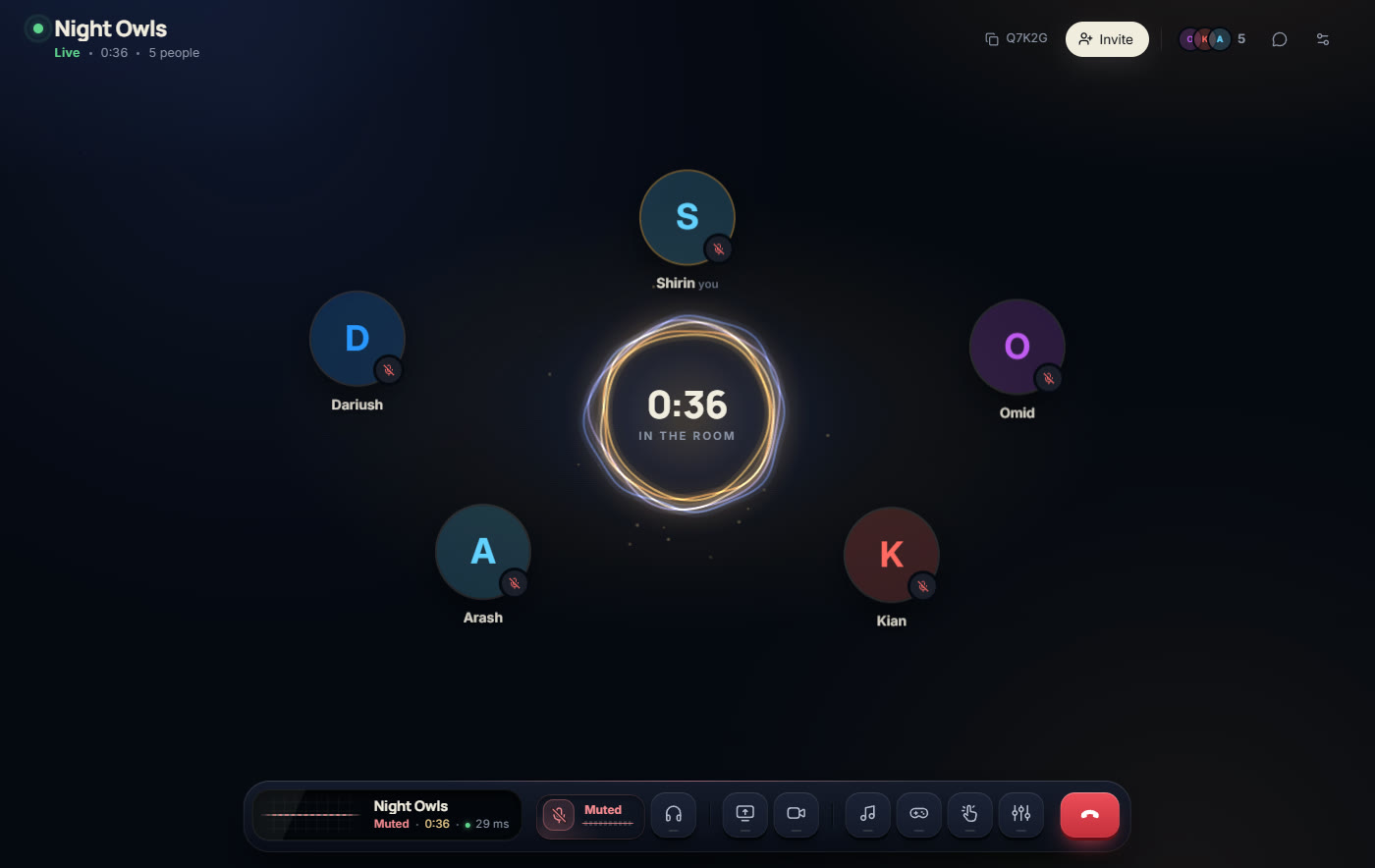
Listen together
One shared queue, in sync for everyone in the room. Each person sets their own volume.
Watch together
Share a game, a film or your screen with sound while the room keeps talking.
Play together
Chess, Snakes & Ladders and Zand Eights open right inside the room. Nothing to install, no links to send.
04Who makes Zand
Independent. Made by one person.
Zand is not a company’s product, and it is not a government project. I design it, build it and run it myself, from the voice engine to the servers it runs on.
No one else has a say in it: no investors, no sponsors, no organizations. Zand answers to the people who use it, and to no one else.
 The maker of Zand
1person
Designs, builds and runs Zand. There is no parent company behind it.
0companies
No company owns Zand, funds it or partners with it.
0governments
No government, agency or organization is involved in Zand, and none has been given access to its servers, your account or your conversations.
0ads or trackers
Your data is never sold, never shared and never used for advertising. Zand keeps only what it needs to work.
05Get Zand
Same people. Any screen.
Everything on Windows, always with you on Android, or no install at all in your browser.
Windows
Windows 10 and 11, 64-bit
The complete experience: the full voice engine, keybinds that work in every game, screen sharing with sound and the in-game overlay.
- Version
- 1.2.88
- Size
- 90 MB
AndroidBeta
Android 8 and later
The new native app, now in beta: your rooms and messages, always in your pocket.
- Version
- 0.26
- Size
- 60 MB
Web
Any up-to-date browser
No install. Open Zand in any modern browser and pick up where you left off.
Open Zand Web
Creating an account currently requires an invite code from a Zand member.

06Good to know
Questions, answered.
What is Zand?
Zand brings together a friends feed, personal profiles, direct and group messages, and voice and video rooms. Listen to music together, share a screen, or play a game in a room.
Do I need a VPN to use Zand?
No. Zand runs on servers inside Iran, so the apps and the website work without a VPN.
Who runs Zand? Is it tied to a company or a government?
Zand is independent. One person designs, builds and runs it. No company, organization or government owns it, funds it or works with it, and none has been given access to its servers or to users’ data. There are no ads or trackers, and your data is never sold or shared.
Can I use Zand without joining a room?
Yes. Browse or share posts in Feed, react and reply, build your profile, and keep conversations going in direct messages, private groups, or Saved Messages.
How do I join my friends?
Creating an account currently requires an invite code from a Zand member. Once you are in, join your friends through an in-app room invitation or a room code.
Is Zand free?
Zand and its Windows and Android apps are currently free to use. Registration is invite-only for now.
Can I use Zand without installing an app?
Yes. Zand Web covers everyday rooms, voice, messages, and shared music in a browser. The Windows app adds the complete voice engine, global keybinds, and system-level features.
Can friends listen to music together?
Yes. Room music uses one shared queue and synchronized playback while every listener keeps independent volume control.
Does screen sharing include sound?
Yes, on supported devices and browsers. Share a window or display with source audio, and viewers control stream audio separately from people speaking.
Which games are available in Zand rooms?
Snake & Ladders, chess, and Zand Eights currently open inside a room while voice and chat remain connected.
Why do my keybinds not work in some games?
Some games, such as AION 2, run as administrator, and Windows hides their keys from normal apps. In Zand for Windows, open Settings, Keybinds and press Run as administrator. Zand then starts that way every time and your keybinds work everywhere.

Bring your people to Zand.
Free to use. Get an invite code from a friend on Zand, and bring everyone together tonight.